Navigating LinkedIn as a job seeker in 2026 presents unique challenges.
This comprehensive FAQ answers 25+ critical questions about LinkedIn’s Easy Apply feature, profile optimization, networking strategies, and platform limitations. From understanding why Easy Apply applications get so few responses to building meaningful connections versus collecting contacts, these expert answers help you use LinkedIn strategically rather than spinning your wheels.
Learn when to use Easy Apply versus direct applications, how to optimize your profile for maximum visibility, and why dedicated tracking tools like GigHQ are essential for managing your job search beyond any single platform.
Whether you’re frustrated with LinkedIn’s “black hole” or wondering if the platform still matters, these answers provide data-driven strategies for leveraging LinkedIn effectively in your job search.
Easy Apply Strategy
Use LinkedIn Easy Apply selectively, not as your primary strategy. While convenient, Easy Apply results in 2-3% interview rates compared to 8-12% for direct company website applications. The ease of applying leads to overwhelming competition—popular roles receive 100+ applications instantly, making it harder to stand out. Reserve Easy Apply for supplementary roles, recruitment agency postings, or when it’s the only application method offered. For roles you’re genuinely interested in, always prioritize direct applications through company career portals. Read our complete Easy Apply analysis for strategic guidance.
LinkedIn Easy Apply has a significantly lower success rate than direct applications. User reports indicate minimal responses even after hundreds of applications, with some receiving zero interviews from Easy Apply while other methods yielded results. Recruiters spend an average of 7 seconds scanning resumes, and this time is even shorter for Easy Apply submissions due to high volume. The feature works better for entry-level or high-volume roles, but for specialized or senior positions requiring tailored applications, success rates drop dramatically. Direct applications show 3-4x higher response rates.
Easy Apply applications often disappear into a “black hole” due to overwhelming volume. Employers can receive 450+ applications for a single position, with reports suggesting 70-90% of Easy Apply applicants are unqualified or mass-applying. The lack of customization signals lower effort and interest to recruiters. Applications rely heavily on your LinkedIn profile snapshot—if it’s not meticulously optimized, recruiters may not even view your attached resume. The convenience that benefits applicants creates a “needle in a haystack” problem for recruiters, reducing your visibility.
Use direct company applications for roles you’re genuinely interested in and well-qualified for. Direct applications demonstrate genuine interest, allow full customization, ensure proper ATS processing, and show 3-4x higher response rates. Consider Easy Apply only as a supplementary strategy when time is severely limited, for recruitment agency postings, when it’s the only option for a specific job ID, or for low-stakes opportunistic applications. The “dual approach”—applying directly first, then networking on LinkedIn—combines the best of both methods.
If using Easy Apply, optimize your LinkedIn profile as it serves as your primary application document. Ensure your headline clearly states your target role in under 30 characters, create a comprehensive keyword-rich profile mirroring resume depth, and use your About section as a de facto cover letter with quantifiable achievements. Always attach a tailored resume, include a cover letter if the option exists, answer screening questions thoughtfully, and be selective rather than mass-applying. Track all applications systematically using tools like GigHQ to measure which channels yield results.
Easy Apply effectiveness varies significantly by industry and role type. It may be more effective for entry-level or high-volume positions where employers prioritize quickly building large candidate pools. Tech and creative fields might be more receptive due to networking emphasis, while traditional sectors like finance or government typically prefer direct applications. For senior, specialized, or niche positions requiring highly tailored applications and specific expertise, Easy Apply is generally less suitable. Recruitment agencies respond more frequently to Easy Apply as they use it for rapid database expansion.
LinkedIn Profile Optimization
Create a compelling headline under 30 characters that clearly states your target job title or expertise—this is often the first thing recruiters see. Build a comprehensive, keyword-rich profile with your About section serving as a cover letter highlighting quantifiable achievements. Detail each role in your Experience section with clear responsibilities and measurable impacts. Maintain a professional photo, keep skills updated with endorsements, and actively seek recommendations from colleagues and managers. Your profile must function as a standalone application document since recruiters often see only a snapshot when reviewing Easy Apply submissions.
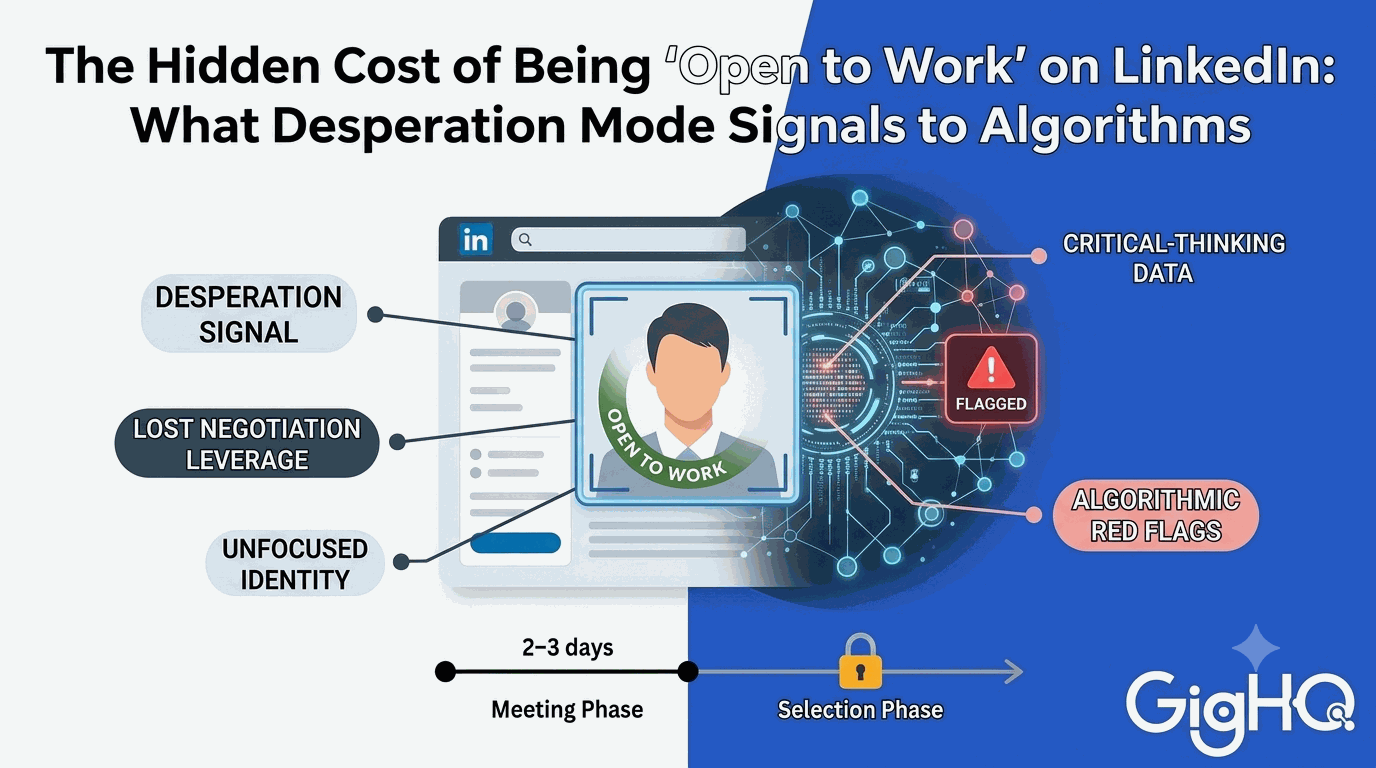
The #OpenToWork banner has mixed reception among recruiters. Opinions are split on whether it helps or hurts. Some recruiters view it as a signal of desperation or that you’re not currently employed, while others appreciate the transparency. Consider your situation: if you’re currently employed and conducting a confidential search, avoid it. If you’re actively unemployed and casting a wide net, it may help with visibility. Alternative strategies include updating your headline to signal openness subtly or directly messaging recruiters for roles of interest without the public banner.
LinkedIn connections are digital links between profiles—often just clicking “Connect.” Real professional relationships involve mutual trust and respect, reciprocity (willingness to help without immediate expectation), understanding beyond job titles, and consistent effort through time and communication. A connection is the potential start of a relationship, not the relationship itself. Focus on quality over quantity: a network of 500+ strangers who never interact becomes noisy and ineffective. Personalize connection requests, engage post-connection, offer mutual value, and nurture relationships over time to build genuine professional capital.
Focus on quality, not quantity. The “500+” badge doesn’t automatically translate to a strong professional network. Large, impersonal networks filled with people you don’t know often become ineffective—requests for help go unanswered and overall value diminishes. Connection collectors (LIONs) prioritize numbers over relationships, risking networking as a superficial popularity contest. Instead, be intentional: connect with people for specific reasons (shared interests, potential collaboration, mutual value), personalize every request explaining why you’re connecting, and invest time nurturing relationships post-connection. A smaller network of genuine connections yields better career outcomes.
Proactively request recommendations from first-degree connections, personalizing each request rather than using generic templates. Specify which role you’d like them to focus on and remind them of specific projects or accomplishments to guide their writing. Make it easy by offering a brief outline of key points to mention. When requesting, explain why you’re asking them specifically and what you’d appreciate them highlighting. You can also write unsolicited recommendations for others—reciprocity often prompts them to return the favor. Aim for a mix of recommendations from managers, colleagues, and clients across different roles to showcase breadth.
LinkedIn Platform Strategy
LinkedIn is evolving into a more social platform, blurring traditional professional boundaries. The feed now includes personal stories, vacation photos, inspirational quotes, memes, and non-work debates alongside job updates and industry news. This “Facebookification” is driven by algorithm changes prioritizing engagement, pandemic-era work-life boundary blurring, users seeking community, and LinkedIn’s platform features encouraging social interaction. While some appreciate the authenticity and human connection, others find it distracting from core professional functions like job searching and industry insights. The key is using LinkedIn intentionally—curate your feed, maintain professionalism in what you share, and use dedicated tools like GigHQ to manage actual job search tasks separately from social noise.
LinkedIn remains the world’s largest professional network and a dominant force in recruitment, making it essential despite frustrations. It serves as your digital professional identity, a networking tool, and a massive job board. For those with strong profiles and desirable titles, recruiters reach out proactively. However, its value varies: it’s more effective for certain industries (tech, creative) and those already well-positioned than for entry-level seekers or those outside typical corporate structures. Success requires recognizing LinkedIn’s limitations—diversify search channels, avoid relying solely on Easy Apply, prioritize direct applications, and use robust tracking systems like GigHQ to manage your entire search beyond any single platform.
Effective LinkedIn networking requires strategy beyond connection collecting. Use LinkedIn for research: find jobs, identify people at target companies (especially shared connections), then seek introductions or apply directly armed with that knowledge. Personalize connection requests explaining why you’re reaching out, engage with content thoughtfully, and follow up after connecting. Focus on offering value rather than just asking for help. Avoid directly messaging recruiters cold—they often don’t respond. The most effective approach combines LinkedIn research with offline networking and direct company applications, treating LinkedIn as an intelligence tool rather than the primary application channel.
Common mistakes include mass-applying via Easy Apply without customization, maintaining an outdated or bare-bones profile, using generic connection requests, failing to leverage recommendations, relying solely on LinkedIn’s job board, posting AI-generated generic content, treating connections as mere numbers rather than relationships, ignoring the importance of a strong headline, not researching companies beyond their LinkedIn pages, and expecting the #OpenToWork banner alone to attract opportunities. The biggest mistake is treating LinkedIn as your entire job search strategy rather than one component of a diversified, systematic approach managed with dedicated tracking tools.
LinkedIn’s feed has become increasingly performative—filled with job anniversary posts, humblebrags, recycled content, and “toxic positivity.” Combat feed fatigue by curating your network (unfollow or disconnect from noisy contacts), using the platform intentionally for research and targeted networking rather than passive scrolling, and separating job search management from LinkedIn entirely using tools like GigHQ. Focus your LinkedIn time on specific activities: researching companies, connecting with relevant professionals, and engaging meaningfully with industry content. Don’t let the social noise derail core professional objectives—treat LinkedIn as one tool in your arsenal, not your entire strategy.
Job Search Strategy with LinkedIn
Don’t rely on LinkedIn’s built-in tracking or manual spreadsheets. Use a dedicated system like GigHQ that automatically logs applications via a unique email address (@gighq.ai), capturing confirmation emails and organizing everything in one dashboard. Track essential data: company name, role title, date applied, application source (LinkedIn, company site, referral), current status, and follow-up dates. Attach the specific resume and cover letter used for each application. Analyze which channels yield responses—LinkedIn Easy Apply, direct applications, or referrals—to refine your strategy. Automated tracking saves 5+ hours weekly and provides real insights into your actual application pipeline across all sources.
Prioritize direct company website applications for roles you’re serious about—they show 3-4x higher response rates. Direct applications demonstrate genuine interest through extra effort, allow full customization of resumes and cover letters, submit directly into the company’s primary ATS without third-party intermediaries, provide access to the most detailed job information, and typically face less competition from mass applicants. Use LinkedIn for job discovery and research, then apply directly when possible. The optimal “dual approach”: apply directly first, then use LinkedIn to connect with the hiring manager or team members, mentioning your application and highlighting key qualifications.
Use LinkedIn as an intelligence tool. Search the company’s page and filter by relevant job titles to identify hiring managers and team members. Note their career trajectories—corporate backgrounds may value process while startup experience prizes agility. Look for public content they’ve produced (articles, posts, talks) and reference these insights in your networking messages. Check employee connections for potential warm introductions. Review company updates and posts to understand culture and priorities. However, don’t stop at LinkedIn—combine this with company websites, financial reports, news coverage, and review sites like Glassdoor for comprehensive research before applying or interviewing.
A: Adopt a holistic approach: (1) Optimize your profile as a comprehensive standalone document with a strong headline, keyword-rich content, and recommendations. (2) Use LinkedIn primarily for research and discovery, not as your main application channel. (3) Apply directly through company websites for priority roles. (4) Network strategically by personalizing requests and offering value, not mass-connecting. (5) Track everything systematically using dedicated tools like GigHQ to measure what actually works. (6) Diversify beyond LinkedIn—use niche job boards, company career pages, and referrals. (7) Avoid relying heavily on Easy Apply. (8) Maintain perspective—LinkedIn is one tool in a comprehensive job search system, not the entire strategy.
Limit daily LinkedIn time to 30-60 minutes maximum, focused on strategic activities rather than passive scrolling. Allocate 15 minutes for job discovery and company research, 15 minutes for targeted networking (personalized connection requests, engaging with relevant posts), and 30 minutes weekly for profile updates and content engagement. Avoid getting sucked into the feed—it’s often performative noise rather than productive job search activity. Spend the majority of your job search time on higher-impact activities: tailoring applications, preparing for interviews, networking offline, and managing your search systematically with tracking tools. Quality beats quantity in both applications and LinkedIn engagement.
LinkedIn Technical Issues
LinkedIn’s search function has significant limitations. Users frequently report irrelevant results, poor filtering options, and inaccurate data. The algorithm may not surface jobs you specifically search for, even when they exist on the platform. Additionally, LinkedIn prioritizes “promoted” job listings, pushing organic results down. The platform also suffers from increasing spam and fake job postings. To work around this: (1) Search directly on company career pages for roles you know exist, (2) Use multiple job boards beyond LinkedIn, (3) Set up Google Alerts for “[company name] careers,” (4) Network directly to learn about openings before they’re posted, (5) Use GigHQ’s company database to discover actively hiring organizations.
LinkedIn has growing issues with spam, fake postings, and “ghost jobs” (postings for roles not actively being filled). Some listings exist for data harvesting, employer branding, or fulfilling legal posting requirements rather than genuine hiring intent. Red flags include vague job descriptions, unusually high salary ranges, requests for personal information upfront, companies with minimal LinkedIn presence, and positions that remain open for months. Verify legitimacy by researching the company independently, checking the official company website for the same posting, looking for recent employee LinkedIn activity, and using GigHQ’s job database which tracks when roles were first detected and their activity patterns to help identify legitimate opportunities.
LinkedIn’s filtering system has known issues with accuracy and reliability. Location filters often show remote jobs when filtering for specific cities or vice versa. Experience level filters (entry-level, mid-senior) are inconsistently applied by employers. Date posted filters don’t always reflect when jobs were actually listed. Salary range filters are limited and often inaccurate. Work around these limitations by: using boolean search operators in the search bar, filtering by company size or industry first to narrow results, checking the actual posting date on the listing, cross-referencing findings with company career pages, and using alternative job search platforms alongside LinkedIn for comprehensive coverage.
LinkedIn’s algorithm likely favors profiles with complete information, regular activity, high connection counts, and strong engagement (posts with many likes/comments). Profiles with recommendations, verified skills, and consistent updates may receive better visibility in recruiter searches. However, the exact algorithm is proprietary and changes frequently. Focus on controllable factors: maintain a comprehensive profile with relevant keywords, post or engage occasionally to stay active (without becoming spammy), gather authentic recommendations, and keep your experience section updated. Don’t obsess over gaming the algorithm—instead, use LinkedIn as one component of a diversified job search strategy with direct applications and networking yielding better results than optimizing for algorithm visibility.
Our Platform Tools:

ResumeRank
Scan your resume, get a score, fix what matters.

CoverGenius
Generate personalized, AI-powered cover letters in seconds.

OutreachAgent
Craft perfect networking and AI-powered follow-up emails with ease.

CareerCompass
Instantly generate a personal marketing plan from your resume to define your brand and attract the right opportunities.

Smart Prep
Simulates a real interview based on your resume and the job description, giving you real-time feedback to build your confidence.

Profile Spark
Optimize your LinkedIn profile to attract recruiters and opportunities.