You know the routine. You’re scrolling through LinkedIn, and a job posting catches your eye. It’s the perfect title, the description matches your background, and there it is—that beautiful, glowing blue “Easy Apply” button.
With a single click, your pre-saved resume is uploaded. You hit submit. Done.
It took you exactly six seconds. It felt incredibly productive. You did the thing! You’re officially “out there” in the job market.
Except, you probably aren’t going to get the interview. In fact, you might have just actively hurt your chances of ever landing a role at that company.
While platforms like LinkedIn and Indeed have made applying for a job as frictionless as ordering Uber Eats, the data shows that this convenience comes at a devastating cost to job seekers. “Easy Apply” and “Quick Apply” buttons aren’t just ineffective—they are actively killing your job search. Here is the data-driven case for why you need to stop clicking the blue button and start applying directly.
1. Why Easy Apply Feels Like the Right Move (And Why It’s a Trap)
The appeal of Quick Apply is psychological. In a chaotic, stressful job hunt, volume feels like progress. If you send out 50 applications a day, you feel like you are executing. You are filling the top of your funnel.
But this is an activity trap designed by platforms whose incentives do not align with yours.
Frictionless by Design
LinkedIn and Indeed are in the business of engagement. They want to keep you on their platforms, clicking, scrolling, and viewing ads. The easier they make it to apply, the more active you are on their site, and the more “application volume” they can report to employers as a metric of their platform’s value.
But your metric isn’t “applications sent.” Your metric is interviews landed.
The False Math of the Job Lottery
Many job seekers use a simple conversion rate to justify their volume strategy: “If the baseline interview rate is 6%, and I send 200 Quick Applies, I should get 12 interviews.”
But this math is completely broken. Industry cohort tracking across hundreds of active job seekers reveals a harsh reality: the actual interview rate from aggregator Quick Apply buttons is close to zero. In tracking dozens of job seeker pipelines, we have seen cohorts submit hundreds of “Easy Apply” applications, only for exactly one to yield a human screening call.
When you treat your job search like a high-volume lottery, you don’t win more. You just exhaust yourself.
2. What Actually Happens to a Quick Apply Submission
To understand why Quick Apply fails, you have to look at what happens behind the screen. When you click “Easy Apply,” your resume doesn’t simply slide onto a recruiter’s desk. It enters a labyrinth of digital filters.
The Two-Layer Parsing Problem
When you apply directly on a company’s website, your resume goes straight into their Applicant Tracking System (ATS)—systems like Greenhouse or Lever.
When you use Quick Apply, your resume must survive two distinct parsing layers:
- LinkedIn/Indeed’s proprietary parser, which attempts to read your resume and format it to fit their standardized applicant UI.
- The company’s ATS, which imports that data from the aggregator.
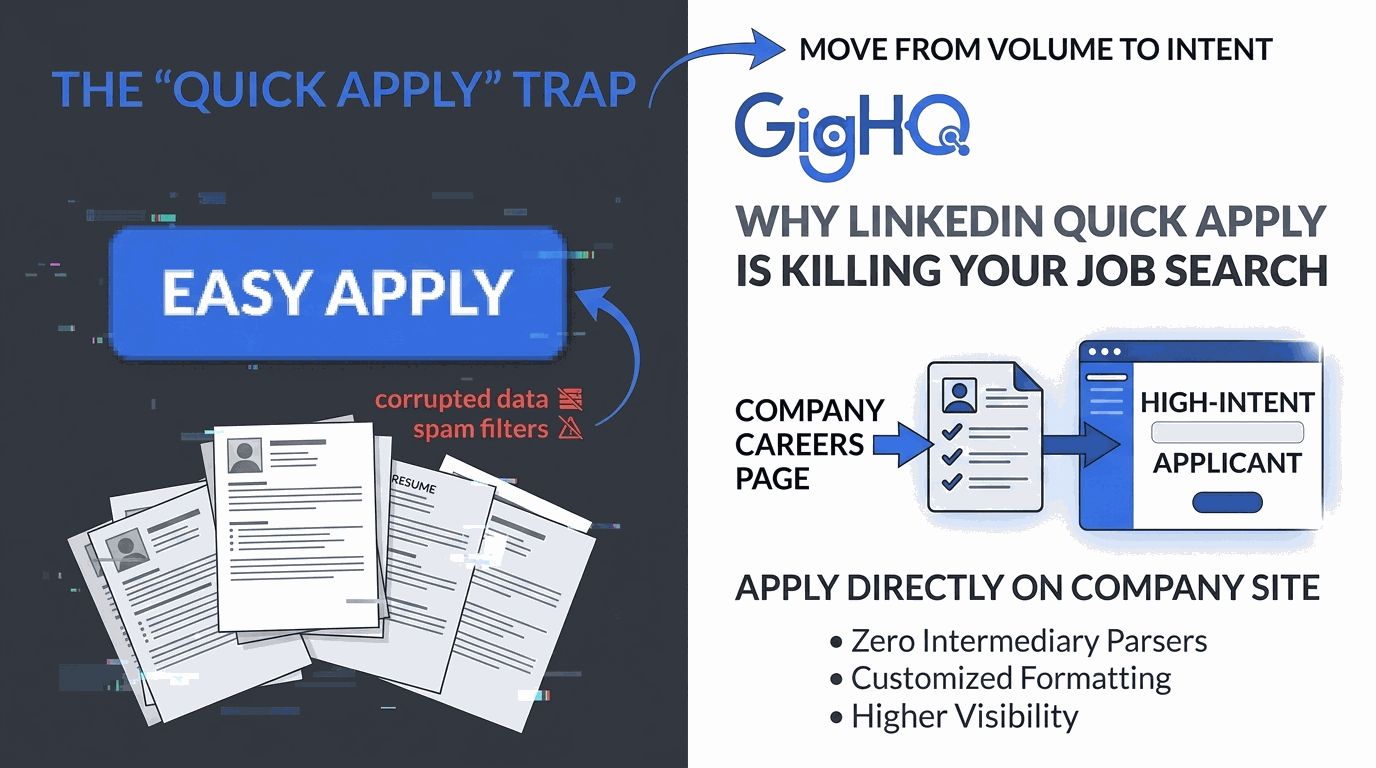
Any formatting choice—a custom margin, a column, a specific bullet style—can get garbled during this double-translation process. If the aggregator’s system misinterprets your experience, the company’s ATS will receive a corrupted, unreadable profile. You are filtered out before a human even knows you applied.
The Aggregator Penalty
Because Quick Apply is so easy, employers are absolutely drowning in applicant spam. A recent Greenhouse and Indeed hiring report highlighted that 73% of job seekers admit to mass-applying, often using bots or automated scripts.
To combat this tidal wave of low-intent noise, employers set their ATS filters to the highest possible settings for candidates coming through aggregator pipelines. If a job receives 500 “Easy Applies” and 20 direct career page applications, where do you think the recruiter starts looking?
The Signal Problem
By using Quick Apply, you send a clear, albeit quiet, signal to the hiring team: “I didn’t care enough about this role to spend two minutes visiting your website.” You came through the side door with the crowd, rather than walking up to the front door.
3. The Data Case for Direct Application
The alternative is simple, but it requires a mindset shift: Always apply directly on the company’s official careers page.
Academic and industry data proves that this extra step is the single most effective leverage point in your job search.
The 10% to 15% Lift
Industry cohort tracking reveals that applying directly on the company careers page increases your interview rate by at least 10% to 15%, completely independent of your qualifications or resume quality.
Let’s look at the math:
If your resume has a baseline match rate of 5% when submitted via Quick Apply, moving that exact same resume to a direct application on the company’s careers site instantly bumps your conversion rate. Why? Because you’ve stepped out of the crowded “spam” bucket and into the “high-intent applicant” bucket.
Why Direct Applications Perform Better
- Zero Intermediary Parsers: Your resume goes straight into the source ATS. You control exactly how it renders.
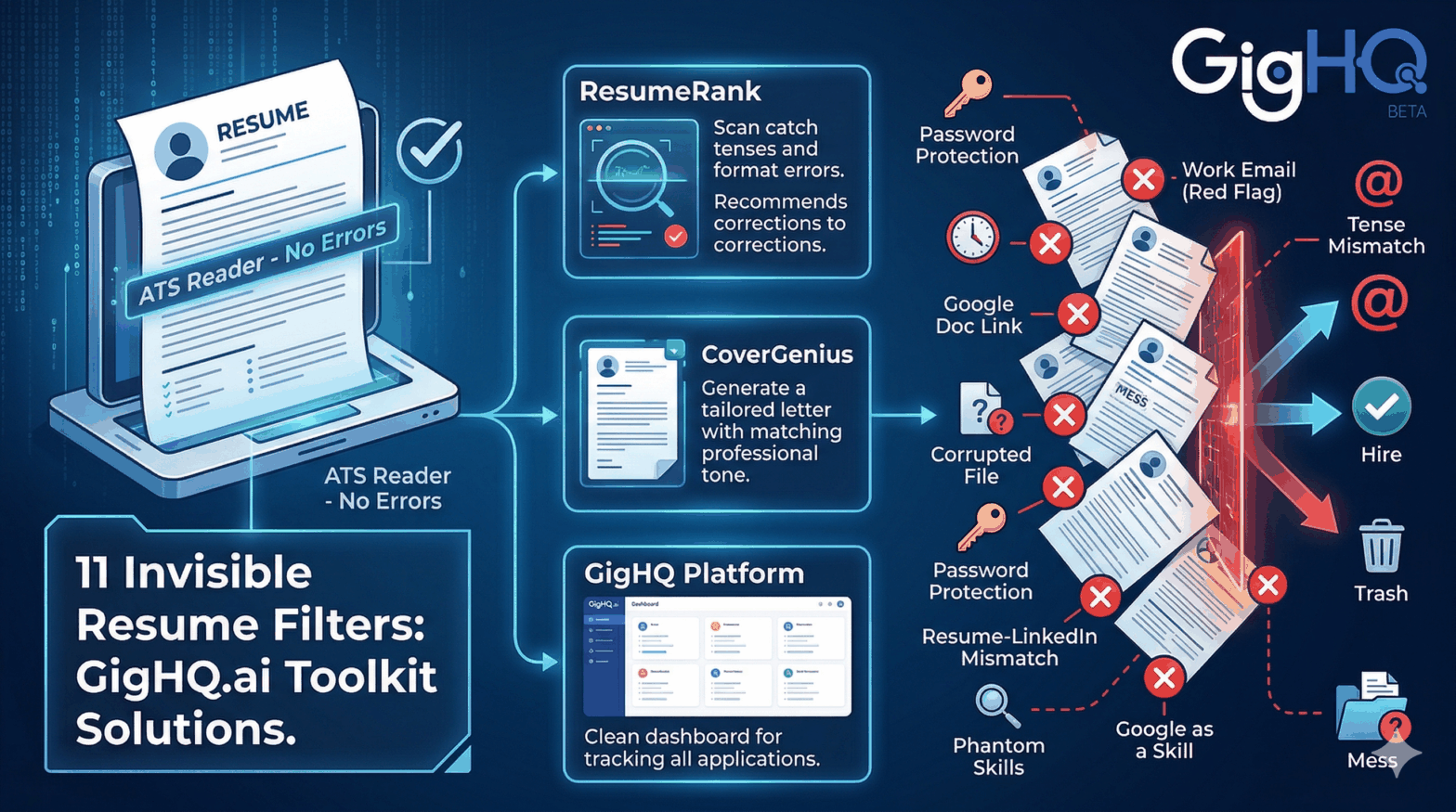
- Control Over Formatting: When uploading a clean, ATS-optimized PDF directly, you ensure that the recruiter sees your resume exactly as you designed it. You can check your compatibility beforehand using tools like ResumeRank to ensure your keywords align perfectly.
- The High-Intent Behavioral Signal: You demonstrated the initiative to find their career portal. In a sea of lazy applications, basic effort is a massive competitive differentiator.
4. The “Discovery-to-Direct” Workflow
This doesn’t mean LinkedIn and Indeed are useless. They are spectacular job search aggregators—they are just terrible application channels.
The smartest job seekers use them for discovery, but never for execution. Here is the recommended strategic workflow:
- Discover Role on LinkedIn/Indeed
- Check Company Page & Verify Role is Real
- Go to Company Careers Page (Direct Link)
- Optimize Resume with ResumeRank & Tailor Cover Letter
- Submit Directly via Company ATS Portal
Step 1: Find the Direct Page
Once you discover a role on LinkedIn, ignore the “Easy Apply” button. Open a new tab and search "[Company Name] careers" or click the “Apply on company site” link which redirects you to their primary portal.
Step 2: Ensure the Role is Still Active
Often, stale job postings live on aggregators long after they’ve been filled or paused. Applying directly on the company site ensures you aren’t wasting time on a “ghost job.” If the posting isn’t on their official careers page, the company is no longer hiring for it.
Step 3: Optimize and Customize
Before hitting submit on the direct page, take 60 seconds to ensure your resume matches the job description.
- Use ResumeRank to scan your resume against the direct job posting.
- Draft a tailored, high-impact cover letter using CoverGenius to address the specific team needs.
- Find relevant team contacts using OutreachAgent to send a warm, professional follow-up.
5. What If You’ve Already Been Quick Applying?
If your dashboard is currently filled with hundreds of unanswered “Easy Applies,” do not panic. But do recalibrate.
The volume you’ve built up isn’t wasted experience—it’s a diagnostic signal. If your response rate is near zero, the platform’s delivery system is likely the culprit.
Can You Re-Apply Directly?
Yes. If you applied to a role via Quick Apply within the last few weeks and haven’t heard back, find the direct careers page and re-apply.
Many job seekers worry about looking duplicate in the ATS. But most modern ATS platforms (like Greenhouse) will simply merge your profiles under your email address, showing the recruiter your updated, directly submitted, high-fidelity resume. A direct, fresh application with a tailored resume is always worth the attempt.
The mental shift required is simple: Move from “how many applications can I click today?” to “where am I applying, and how am I getting there?”
6. The Broader Principle: Every Layer is a Filter
In the modern job market, every step between you and a human hiring manager is a filter in disguise.
[You] ─► [Aggregator Parser] ─► [ATS Filter] ─► [Recruiter Screen] ─► [Hiring Manager]
- Quick Apply adds a parsing layer.
- Aggregators add a noise filter.
- Poor formatting adds a readability filter.
- Generic templates add an intent filter.
The goal of a highly strategic job search is to systematically remove as many of these layers as possible. Direct application is the single easiest layer to eliminate. It costs you nothing but three extra minutes, yet it fundamentally changes how employers perceive your candidacy.
Let GigHQ Run the Strategy For You
If managing this direct workflow sounds like extra manual labor, that’s where we come in. GigHQ.ai is designed to automate the administrative headache of a high-intent job search:
- Auto-Track Without Spreadsheets: Apply using your dedicated
@gighq.aiemail address on company portals, and we will automatically track every application, interview request, and outcome on your personal dashboard. No copy-pasting required. - Expose Hidden Market Signals: Use our Chrome Extension (watch the demo here) to instantly see company response times, hiring trends, and “ghost job” warning signs while you browse LinkedIn or Indeed.
- Bring AI into Your Workflow: If you prefer using Claude or ChatGPT, you can connect your local workspace directly to your job search using our MCP Server Integration to write cover letters, analyze skills gaps, and log interview prep notes conversationally.
Stop throwing your resume into the aggregator void. One highly targeted, directly submitted, carefully optimized application is worth more than fifty generic “Easy Applies.”
The goal was never to apply to as many jobs as possible. The goal is to get interviews. Build your strategy accordingly.
Ready to take control of your search?
- Get the GigHQ Chrome Extension to audit job boards in real-time.
- Grade your resume instantly against any job description using ResumeRank.
- Create your free account at GigHQ.ai and start applying strategic.
Our Platform Tools:

ResumeRank
Scan your resume, get a score, fix what matters.

CoverGenius
Generate personalized, AI-powered cover letters in seconds.

OutreachAgent
Craft perfect networking and AI-powered follow-up emails with ease.

CareerCompass
Instantly generate a personal marketing plan from your resume to define your brand and attract the right opportunities.

Smart Prep
Simulates a real interview based on your resume and the job description, giving you real-time feedback to build your confidence.

Profile Spark
Optimize your LinkedIn profile to attract recruiters and opportunities.